MinIO - Error from IDP
It might happen that you see the following frame, when opening MinIO

You can fix this issue by restarting the pod for the minio-deployment following these steps:
In the menu navigate to System and Kubernetes
In the top row select the namespace services
Search for minio-deployment
Under Pods find the minio-deployment pod (!Not the deployment!), click on the three vertical dots on the right and click on Delete.
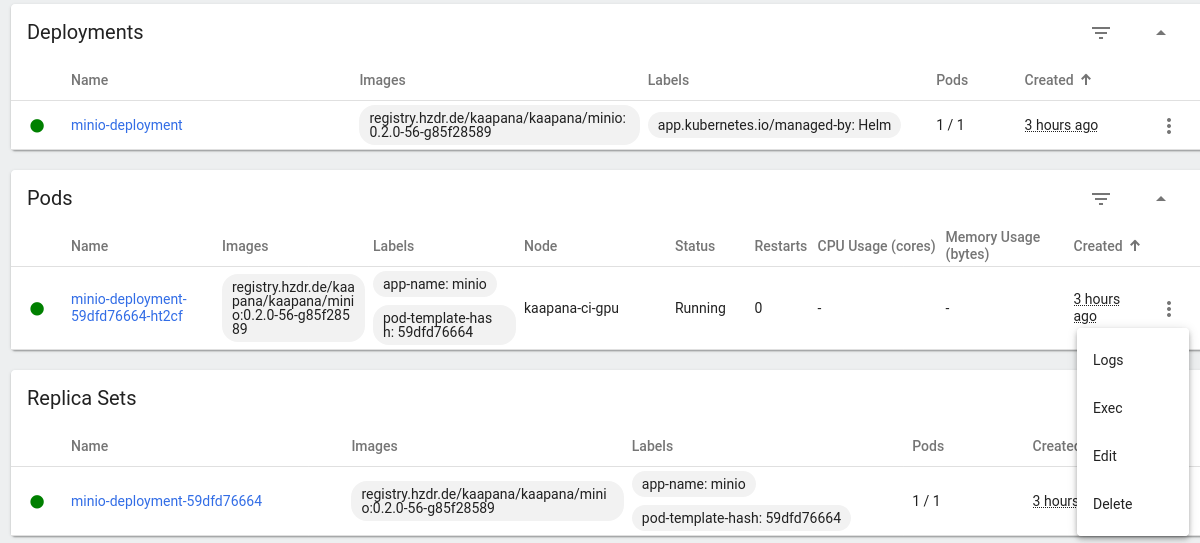
This will restart the minio-deployment and you should be able to access MinIO as usual.